Egypt Travel Hack: Avoid Roaming Fees With a Prepaid eSIM
If you’re traveling to Egypt soon, there’s one thing you absolutely want to avoid: expensive roaming charges. Many travelers don’t realize their home carrier can charge up to several dollars per megabyte when roaming in Cairo, Giza, Luxor, or Hurghada. A single day of using Google Maps or uploading Instagram stories can lead to a surprising bill. The easiest solution is to use a prepaid eSIM Egypt plan, which gives you local-rate mobile data without paying international roaming fees.
This travel hack is simple: install the eSIM before your flight, switch data roaming off on your home SIM, and use the prepaid eSIM as your main data line throughout your trip. In this guide, you’ll learn why roaming is so expensive in Egypt, how prepaid eSIMs work, which plans give the best value, and how to set everything up step by step for worry-free connectivity.
I. Why Roaming in Egypt Is So Expensive
Roaming fees catch many travelers by surprise when visiting Egypt. Even light usage—checking Google Maps, uploading a few photos, or replying to WhatsApp messages—can result in unexpectedly high bills. This happens because roaming relies on your home carrier charging premium rates for using foreign networks instead of local Egyptian pricing.
How international roaming works
When your phone connects in Egypt without a local SIM or eSIM, it uses an agreement between your home carrier and an Egyptian carrier (Orange, Etisalat, or Vodafone).
Your carrier then bills you at international roaming rates, which are usually 10×–50× higher than local Egyptian data prices.
Typical roaming rates for Egypt
Most major carriers charge one of the following:
- Pay-as-you-go roaming: often $3–$5 per MB
- Daily passes: $10–$15 per day for limited data
- Weekly roaming packages: $50–$70 per week for small data caps
Just opening Google Maps for a few minutes or posting an Instagram Story can cost more than an entire prepaid eSIM plan.
Why unexpected charges happen
Travelers often get hit with roaming charges because:
- Their phone automatically switches to roaming before they turn on the Egyptian eSIM
- Their home SIM remains active with data roaming enabled
- Apps run background tasks (iCloud, TikTok, email sync)
- They mistakenly assume WhatsApp or Maps is “free” on roaming
Even a few accidental megabytes can cost $20–$30 instantly.
Examples of real-world roaming shock
Travel blogs frequently report cases where travelers:
- Paid $150–$300 for 1 day of roaming in Egypt
- Used Maps for 20 minutes and were charged more than their hotel stay
- Uploaded two Reels and triggered $100+ in roaming usage
These aren’t exaggerations—roaming charges in Egypt are consistently among the highest for travelers coming from the US, UK, EU, Australia, and Singapore.
II. How a Prepaid Egypt eSIM Helps You Avoid Roaming Fees
A prepaid eSIM Egypt plan is the simplest and most reliable way to avoid roaming charges while traveling. Instead of letting your home carrier control your connection at international rates, a prepaid eSIM switches your phone to a local Egyptian network at local prices. This gives you full data access without paying a single cent in roaming fees.

Local network access without roaming
When you activate an Egypt prepaid eSIM, your phone connects directly to Orange Egypt, Etisalat, or Vodafone as if you were a local user.
This completely bypasses your home carrier’s roaming system — and therefore bypasses all roaming costs.
No roaming. No hidden charges. No billing surprises.
Fixed cost data with no surprises
Prepaid eSIM plans have:
- A fixed price
- A clear data allowance
- No overage fees
- No contract
Whether you choose 5 GB, 10 GB, or 20 GB, you always know exactly how much you’re spending.
For most travelers, even a $10–$20 prepaid eSIM provides more than enough data for a week in Egypt — far cheaper than a single day of roaming.
Install before arrival for instant connectivity
One of the biggest advantages of a prepaid eSIM is convenience.
You can:
- Buy the eSIM online
- Install it before flying
- Land in Cairo or Hurghada with data ready to go
- Turn off your home SIM’s data roaming
- Use the prepaid eSIM as your main data connection
No queues at the airport, no passport registration, no SIM tray, no paperwork.
Keep your home SIM active for calls and OTP
With dual-SIM devices, your home SIM stays active for calls and SMS, but you use the prepaid eSIM for mobile data.
Simply:
- Turn off data roaming on your home SIM
- Turn on mobile data for the prepaid eSIM
- Keep mobile connectivity safe and predictable
This setup lets you receive banking OTPs, airline SMS alerts, and emergency calls — without being charged roaming fees.
III. Best Prepaid eSIM Plans for Egypt
Choosing the right data amount and plan type can save you money and avoid frustration. Here are the best plan tiers for a prepaid eSIM Egypt setup, tailored to how you travel.
Short-trip plans (3-6 GB)
Ideal for trips of 5-7 days when you use WhatsApp, browse Instagram, and rely on Google Maps.
- Example travel-eSIM: 3 GB for ~US $6.5 (15-30 days)
- Typical local Egyptian plan: ~6 GB for 150-160 EGP (~US $8)
- Cost per GB: ~$1.30-$2.00
- Good for: navigation, messaging, light uploading
Mid-stay plans (10-20 GB)
Perfect for 10-14 day stays when you upload more photos, use Instagram Stories, and rely on mobile data full-time.
- Example travel-eSIM: 10 GB for ~US $20 (30 days)
- Local plans: 12-20 GB at ~200-380 EGP (~US $11-20)
- Cost per GB: ~$1.00-$1.20
- Good for: content uploads, hotspot sharing, heavy maps usage
Heavy-use or longer stay plans (20-30 GB+)
Best if you stay 3-4 weeks, upload large reels, tether to laptop, or travel across multiple cities.
- Example travel-eSIM: 20-30 GB from ~US $30-40
- Local premium plan: ~30 GB for ~450-550 EGP (~US $23-29)
- Cost per GB: ~$0.90-$1.10
- Good for: full connectivity, hotspot, video uploads
Price vs roaming cost comparison
Roaming from your home carrier can cost $3-$5 per MB, which means even a few hundred MB may cost tens of dollars. A prepaid eSIM Egypt at ~$6-$20 provides several GB and avoids that high roaming price.
How to choose your plan
Use this rule of thumb:
- 5-7 day trip & light usage → 3-6 GB
- 10-14 day trip & moderate usage → 10-20 GB
- 3+ weeks or heavy uploading → 20 GB+
- Group travel or hotspot needed → choose higher-data plan and confirm tethering support
Bonus tip: always check if the plan supports hotspot/tethering if you’re sharing data with others.
IV. Travel eSIM vs Local Egyptian SIM eSIM
Both options work well in Egypt, but the experience is very different depending on whether you choose a travel eSIM (installed before departure) or a local Egyptian SIM/eSIM (purchased after arrival). This section helps you understand which option fits your travel style, budget, and arrival schedule.
Local Egyptian SIM/eSIM (Orange, Etisalat, Vodafone)
Local networks offer some of the best raw data prices in Egypt, especially if you buy your plan at a city store instead of the airport.
Pros of buying local
- Lower price per GB
- Strong network coverage in most cities
- Local customer support in case of issues
- Suitable for long stays (14–30 days)
- Large-data bundles available (20–30 GB)
Cons of buying local
- Passport registration required
- Must visit a kiosk or retail store
- Airport prices are 20–40% higher
- Queues at arrival terminals can be long
- Activation sometimes takes 5–15 minutes
- eSIM must be installed after arrival
Local SIM/eSIM is best for travelers staying 10+ days, exploring multiple cities, or needing very large data allowances.
Travel eSIM (Gohub, Nomad, AloSIM, Airalo)
A travel eSIM is the most convenient option, especially if you want to avoid roaming fees and stay connected immediately after landing.

Pros of travel eSIM
- Install before departure
- No passport, no registration, no paperwork
- Turns on automatically when landing
- Instant access to WhatsApp, Maps, and Instagram
- Transparent pricing
- Great for short trips
- Zero roaming charges when used correctly
Cons of travel eSIM
- Slightly higher cost per GB
- Coverage follows its partnered local carrier
- Some plans are data-only
- Hotspot availability depends on provider
Travel eSIMs are ideal for travelers who want zero hassle, land at night, or prefer full control over their data usage.
Airport pricing vs. city store pricing
- Airport kiosks always cost more, especially for Orange and Etisalat
- City stores offer the best value and more plan choices
This makes travel eSIMs competitive because they skip both queues and inflated airport pricing.
Which one should you choose
Choose local Egyptian SIM/eSIM if:
- You stay 10–30 days
- You want the lowest cost per GB
- You don’t mind visiting a store
- You upload heavy content daily
- You need large data bundles (20–30 GB)
Choose a travel eSIM if:
- You want the simplest setup
- You want data as soon as you land
- You want to avoid roaming fees completely
- You are staying 5–14 days
- You arrive late at night or don’t want queues
Most tourists prefer a prepaid travel eSIM for its convenience, while long-term visitors tend to choose local options.
V. Step-by-Step How to Avoid Roaming Fees With a Prepaid eSIM
Avoiding roaming fees in Egypt is easy once you configure your phone correctly. Follow these steps and you’ll stay connected at local prices without accidentally triggering expensive international rates.
Step 1: Buy your prepaid eSIM before flying
Purchasing your prepaid eSIM Egypt plan before your trip gives you full control and ensures instant connectivity after landing.
- Choose a travel eSIM provider
- Select your data package (3–6 GB, 10–20 GB, or 20 GB+)
- Complete checkout
- Receive your QR code by email
You can install it days or hours before your flight — it won’t activate until you turn it on.
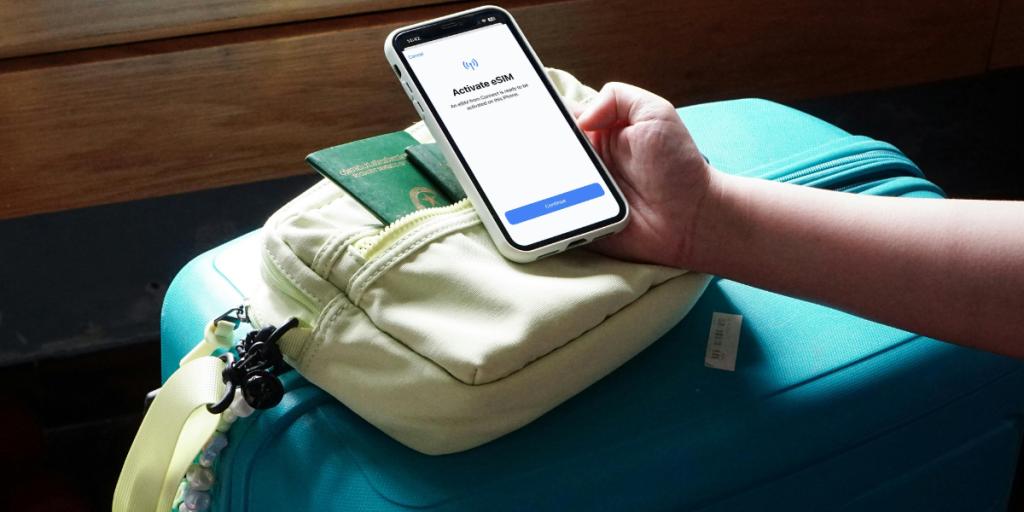
Step 2: Install the eSIM profile (but keep the line OFF)
Add the eSIM to your phone:
- iPhone: Settings → Mobile Data → Add eSIM → Use QR Code
- Android: Settings → Connections → SIM Manager → Add eSIM
Important:
Do not activate the line yet.
Keeping it OFF ensures your plan does not start early and prevents the phone from consuming data on the wrong network.
Step 3: Disable data roaming on your home SIM
This is the single most important step to avoid roaming fees.
- Go to Mobile Data → SIM settings
- Select your home SIM
- Turn Data Roaming OFF
- Leave Calls/SMS ON if you still want banking OTPs or airline alerts
This ensures your phone will never use your home SIM for data while abroad.
Step 4: Activate your Egypt eSIM when you land
Once the plane touches down in Cairo, Giza, Hurghada, or Luxor:
- Turn ON your prepaid eSIM
- Set it as Mobile Data Line
- Keep your home SIM active for calls and SMS only
Your phone will instantly connect to a local network partner (Orange, Etisalat, or Vodafone, depending on the eSIM provider).
No roaming fees. No setup lines. No passport checks.
Step 5: Test essential apps
Before leaving the airport, confirm these work:
- WhatsApp: messages & voice
- Google Maps: location + navigation
- Instagram: stories load correctly
If everything loads smoothly, your prepaid eSIM is active and you’re ready to explore.
Step 6: Monitor your data usage
Even though prepaid eSIMs protect you from roaming fees, it’s still smart to track your usage:
- Check your remaining data in the eSIM app
- Use hotel WiFi for large uploads
- Download offline maps for remote areas
This helps make sure you don’t run out of data during a day trip or desert tour.