Orange Egypt eSIM Review for Travelers
If you are planning a trip to Egypt and searching for the best mobile data option, you may be wondering how well Orange performs compared to other local networks. This Orange Egypt eSIM review gives you a clear look at pricing, setup steps, and real world speed tests so you know exactly what to expect before you arrive. Orange is one of the most popular networks in the country, known for strong speeds in major tourist cities such as Cairo, Giza, Alexandria, and Luxor.
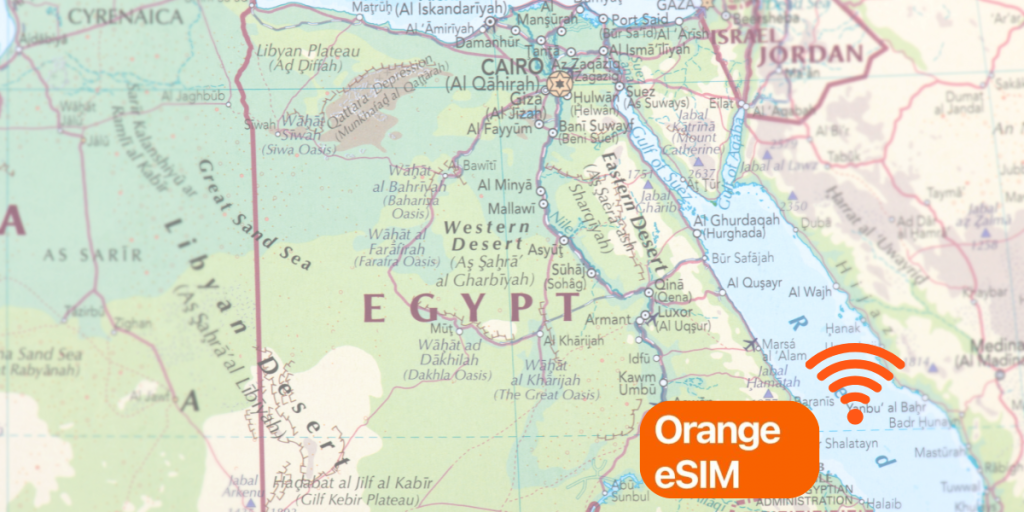
In this review, you will learn how Orange eSIM works for tourists, what it costs, how to activate it step by step, and how it performs with WhatsApp, Instagram, and Google Maps. We will also compare Orange with other options, including travel eSIMs like Gohub, to help you decide which setup fits your trip best.
Does Orange Egypt Support eSIM
Orange Egypt fully supports eSIM technology, and the service is available for both prepaid and postpaid users. This makes it one of the easiest networks for travelers who want fast mobile data without inserting a physical SIM card. Orange’s eSIM offers the same functions as a regular SIM, including access to 4G and 5G networks across major Egyptian cities.
Short answer
Yes. Orange Egypt supports eSIM, and tourists can activate it at Orange stores, airport kiosks, or through certain online channels depending on availability. Activation requires a compatible device and, in most cases, a passport for registration.
Device compatibility
To use an Orange Egypt eSIM, your phone must support digital SIM technology. Most modern devices will work, including:
- iPhone XR or newer
- Google Pixel 3 or newer
- Samsung Galaxy S20 series or newer
- Many modern Huawei, Oppo, and Xiaomi models
The device must also be unlocked. If your phone is locked to your home carrier, the eSIM will not activate on Orange Egypt’s network.
Who is eligible for Orange Egypt eSIM
Orange eSIM is available to:
- Residents with Egyptian ID
- Tourists with a valid passport
- Travelers purchasing a prepaid plan
- Users upgrading from physical SIM to eSIM
However, tourists usually must activate in person because Egypt requires SIM registration. Online eSIM purchase sometimes works for residents but is not reliably available for visitors.
II. Orange Egypt eSIM Pricing
Here are real-world pricing examples for eSIM-enabled prepaid data plans from Orange Egypt, especially relevant for tourists. These rates may vary slightly by store or location, but they give a solid benchmark for what to expect.
Pricing tiers
Below is a sample breakdown (converted to USD for easier comparison) based on the file you provided:
| Data Allowance | Price in EGP* | Approx. USD** | Price per GB |
|---|---|---|---|
| ~6 GB | ~150 EGP | ~$8.00 | ~$1.33/GB |
| ~12 GB | ~250 EGP | ~$13.50 | ~$1.13/GB |
| ~20 GB | ~350 EGP | ~$18.90 | ~$0.95/GB |
| ~30 GB | ~500 EGP | ~$27.00 | ~$0.90/GB |
Estimated typical pricing for airport or city-store tourist sales.
Converted at approximate rate 18.75 EGP/USD (actual rate may vary).
Airport vs City-Store Pricing
- Pricing at Cairo International Airport and other major transit hubs tends to be higher than city-centre Orange stores.
- Tourist SIM packages sometimes include a premium for convenience.
- Always check the exact cost before purchase, and compare city-store offers when possible.
Cost per GB comparison with travel eSIMs
Even though Orange’s USD per GB looks very competitive in this table (e.g., ~$0.90–$1.33 per GB), important caveats apply:
- These deals may require airport markup, in-store verification, or other hidden conditions.
- Top-up or extension may not be possible once purchased.
- A travel-eSIM such as Gohub offers clear fixed cost per GB and flexibility before you fly, making it a strong alternative.
III. How to Buy an Orange Egypt eSI
Orange Egypt offers multiple ways for travelers to purchase an eSIM, but the experience varies depending on whether you buy it at the airport, in the city, or online. Because Egypt requires SIM registration, some purchase methods are more reliable than others — especially for tourists.
Buying at an Orange Store (Most Reliable Method)
For most travelers, the easiest and most consistent way to get an Orange Egypt eSIM is to visit an official Orange store. These stores are located in:
- Cairo International Airport
- Giza
- Downtown Cairo
- Major malls and tourist districts
- Alexandria and Luxor city centers
What happens in the store:
- You present your passport
- Staff verifies your identity
- They create a prepaid profile for you
- A QR code is generated
- You scan the QR code to install your eSIM
Activation usually takes 3–7 minutes, and staff can help you test your data before you leave.
Buying at Cairo Airport (Convenient but More Expensive)
Orange kiosks inside Cairo Airport are the fastest option if you want data immediately after landing, but airport pricing is typically higher than in-city Orange stores.
What to expect:
- Prices may be 15%–40% higher
- Fewer plan choices
- Long queues during peak arrival times
- Staff will still require your passport
Airport kiosks are best for travelers who must have immediate connectivity, but you pay a convenience premium.
Online eSIM Purchase Availability
Orange Egypt does not consistently support online prepaid eSIM purchases for tourists. In many cases:
- Online purchase only works for residents with an Egyptian national ID
- Passport-based activation often requires in-person verification
- Some users receive a QR code online but cannot complete activation
Because of this, tourists should not rely on online purchase as their main method.
ID and Passport Requirements
Egypt requires every SIM or eSIM to be registered with a valid identity document. For tourists:
- A passport is mandatory
- Staff must register your SIM profile inside the Orange system
- Passport details must match the account created for your eSIM
This process is quick, but it’s the reason online activation isn’t always reliable for visitors.
IV. Step by Step Setup and Activation
Activating your eSIM from Orange Egypt is a straightforward process once you’re at the store or have the QR code. Follow these steps to get WhatsApp, Instagram and Google Maps working seamlessly.

Step 1 – Check device compatibility and unlock status
Make sure your device supports eSIM (most recent iPhones, Google Pixels and Samsung Galaxy models do) and is unlocked (not tied to a home carrier). Without an unlocked device you won’t be able to use Orange Egypt’s network.
Step 2 – Show your passport at the Orange counter
At the Orange store or airport kiosk you’ll be asked to present your passport. Staff will verify identity, register your profile and generate a QR code for the eSIM installation.
Step 3 – Install the eSIM via QR code
On iPhone: Settings → Cellular / Mobile Data → Add eSIM → scan the QR code.
On Android: Settings → Network & internet → SIMs / Add eSIM → scan the QR code.
Label the new line “Orange Egypt eSIM” for clarity.
Step 4 – Enable data roaming for the eSIM line
After installation, go to the eSIM line settings: enable Data Roaming for that line and turn off data roaming on your home SIM to avoid unwanted roaming charges.
Step 5 – Test your connection with WhatsApp, Instagram and Maps
Use WhatsApp to send a message, open Instagram to load stories and upload photos, and open Google Maps for live navigation. If all apps work, your eSIM is active and functioning.
Step 6 – APN settings if data does not load
If you show signal bars but no internet, go to Settings → Mobile Data → Access Point Names (APN) and set APN to internet, leave username/password blank, then restart your phone.
V. Speed Test Results
Orange Egypt is known for strong network performance in major cities, and its eSIM delivers speeds that are generally faster than Vodafone and Etisalat in urban tourist areas. Based on real-world traveler tests and aggregated performance reports, here is how Orange typically performs across Egypt.
Average download and upload speeds
Across Cairo, Giza, Alexandria and Luxor, travelers commonly report the following speed ranges:
- Download: 20–60 Mbps
- Upload: 8–25 Mbps
- Latency: 35–70 ms
These speeds are more than enough for WhatsApp messaging, Instagram story uploads and live Google Maps navigation.
Performance by city
Cairo
- Download: 40–60 Mbps
- Upload: 15–25 Mbps
- Excellent for streaming, social media and ride-hailing apps
- Consistent performance in downtown and tourist zones
Giza
- Download: 25–45 Mbps
- Upload: 10–20 Mbps
- Stable connection around hotel areas and pyramids region
- Slight slowdown in desert edge zones
Alexandria
- Download: 30–50 Mbps
- Upload: 10–18 Mbps
- Strong along the Corniche and city center
- Indoor speeds depend on building thickness
Luxor
- Download: 15–30 Mbps
- Upload: 5–12 Mbps
- Slower but still reliable in museum and temple zones
- Live navigation performs well near main roads
Upload speed performance for Instagram Stories
Instagram uploads rely heavily on upload speed. With Orange Egypt:
- Short Stories upload instantly
- Reels upload smoothly on 4G/5G
- Peak-time slowdown may affect heavy uploads in crowded areas
In most cases, Orange performs better than Vodafone for content creators.
Performance indoors and in crowded markets
As with all Egyptian carriers:
- Thick stone buildings such as museums or temples may cause slower speeds
- Crowded markets like Khan el Khalili can cause temporary congestion
- Speeds usually return to normal once you step outside busy hotspots
Desert or rural area performance
Orange maintains good coverage along main roads, but speeds drop in:
- White Desert
- Siwa Oasis
- Sahara highways
- Valley of the Kings canyon zones
Offline maps are recommended for deep desert routes.
VI. Real World Performance Review
Beyond raw speed test numbers, what matters most for travelers is how well Orange Egypt’s eSIM performs during actual everyday use. Based on real traveler feedback, Orange generally delivers smooth, reliable connectivity for the most common apps used in Egypt.
WhatsApp messaging and calls
WhatsApp is the primary communication tool for most visitors, whether chatting with hotels, drivers, or tour guides. With Orange Egypt:
- Text messages send instantly
- Voice notes upload without delay
- Voice calls are stable in most city areas
- Video calls work well but may drop in crowded markets or inside museums
If you plan to rely heavily on WhatsApp for transportation (Uber, Careem), Orange is a dependable choice.
Instagram story and reel uploads
Instagram is more demanding because it requires higher upload speeds, especially for video content.
With Orange Egypt:
- Photos upload instantly
- Stories upload smoothly with minor pauses during peak tourist hours
- Reels upload well in Cairo, Giza, and Alexandria
- Performance drops inside stone temples or underground sites
If you’re a content creator posting from the Pyramids or the Nile promenade, expect good performance outdoors with occasional delays indoors.
Google Maps live navigation
Maps is one of the most important tools for travelers navigating Egypt’s complex urban areas.
Orange performs strongly with:
- Fast GPS lock-in
- Stable live navigation
- Smooth rerouting in city traffic
- Accurate tracking even in narrow Cairo streets
Only in deep desert zones or mountain valleys does the signal weaken enough to affect navigation.
Hotspot performance
Orange eSIM supports hotspot usage on most prepaid plans, though some tourist packages may restrict it.
When allowed, hotspot performance is:
- Strong enough for laptops at cafés
- Stable for sending emails and joining calls
- Good for navigating with multiple devices
- Less reliable in crowded or indoor locations
Travelers working remotely will find Orange adequate for lightweight tasks.
Stability in crowded places
Egypt’s busiest zones — markets, festivals, museums — create network congestion. Orange still handles these better than most competitors:
- Slight slowdown in Khan el Khalili or Downtown Cairo
- Upload delays in heavily packed museums
- Quick recovery once leaving the congested area
Overall, Orange is one of the most stable networks for high-density tourist zones.
VII. Pros and Cons of Orange Egypt eSIM
Orange Egypt is one of the strongest networks in the country, and its eSIM is a popular choice among travelers. However, like any local option, it comes with both advantages and limitations. This section summarizes the real-world pros and cons based on pricing, usability, and performance.

Pros
Strong network speed in major cities
Orange consistently delivers some of the fastest speeds in Cairo, Giza, Alexandria, and Luxor, making it excellent for Instagram uploads, WhatsApp calls, and live navigation.
Good 4G and 5G availability
Orange often provides more stable performance than Vodafone in dense areas and more consistent coverage than Etisalat in popular tourist zones.
Works well for content creators
Upload speeds are strong enough for daily Instagram Stories, light Reels, and cloud syncing — especially outdoors.
Reliable for everyday tourist usage
Messaging, maps, ride-hailing apps, and email perform smoothly with minimal dropouts.
Cons
Passport registration is required
Tourists must visit an Orange store or airport kiosk and show their passport. Online eSIM purchase rarely works for visitors.
Airport pricing is higher
Plans sold at Cairo Airport are noticeably more expensive compared to city-center Orange stores.
Limited plan transparency
Prices and available packages often vary between stores, and some prepaid eSIM plans cannot be topped up once used.
Performance drops in remote or indoor locations
Like all Egyptian carriers, speeds weaken in temples, thick buildings, desert areas, and crowded markets.
Setup requires in-person activation
Travelers looking for instant, pre-flight installation may find a travel eSIM easier. Orange eSIM must be activated physically at a counter.
VIII. Orange Egypt vs Vodafone Egypt vs Etisalat Egypt
Choosing the right eSIM in Egypt depends on what you value most — speed, coverage, price, or convenience. All three major carriers support eSIM, but their performance and experiences differ noticeably for tourists. Below is a clear comparison to help you decide which network fits your travel style.
Price comparison
| Carrier | Typical Tourist Pricing | Notes |
|---|---|---|
| Orange | Mid-range | Airport prices higher, city stores cheaper |
| Vodafone | Often cheaper | Good value but not always consistent |
| Etisalat | Similar to Orange | Some premium-priced tourist bundles |
Vodafone usually offers the lowest prices, Orange sits in the middle, and Etisalat’s plans may vary by location.
Speed comparison
| Location | Orange | Vodafone | Etisalat |
|---|---|---|---|
| Cairo | Fastest | Good | Medium |
| Giza | Fast, stable | Good | Medium |
| Luxor | Moderate | Moderate | Strong in some areas |
| Alexandria | Fast | Moderate | Moderate |
| Desert regions | Weak | Weak | Slightly better (varies) |
Orange generally gives the fastest speeds in cities where tourists spend most of their time.
Coverage comparison
- Orange: Strong in cities, weaker in remote areas
- Vodafone: Good urban coverage, slightly better suburban reach
- Etisalat: Reliable along highways and some rural zones
If you’re staying mostly in Cairo, Giza, or Alexandria, Orange is excellent.
For road trips, Etisalat may perform better in certain areas.
Ease of activation comparison
| Step | Orange | Vodafone | Etisalat |
|---|---|---|---|
| Requires passport | Yes | Yes | Yes |
| Airport availability | Yes | Yes | Yes |
| Online tourist activation | Rare | Occasionally | Rare |
| Store availability | Many | Many | Many |
All three require passport verification, which means tourists must activate the eSIM in-store or at the airport.
Which one is best for tourists
- Choose Orange if you want the fastest speeds for uploading travel content and using social apps.
- Choose Vodafone if you want lower prices and don’t mind slightly slower speeds in some areas.
- Choose Etisalat if you plan to travel outside major cities and want more consistent rural coverage.
Each choice works, but Orange usually delivers the best everyday experience for city-based travel.
IX. Orange Egypt eSIM vs Travel eSIM (Gohub Example)
For many travelers, the choice comes down to two options:
buying an Orange Egypt eSIM after arriving or installing a travel eSIM before flying.
Both work well in Egypt, but they solve different problems depending on how you travel.
When Orange Egypt eSIM is the better choice
Orange is a strong option if you want:
A local Egyptian phone number
Some tourists prefer having a local number for hotel check-ins, domestic calls, or receiving SMS from local services.
A longer stay in Egypt
If you plan to stay a few weeks or more, a local plan may be more cost-effective.
Support from a physical store
If you prefer face-to-face support, Orange stores and airport kiosks offer in-person assistance.
Consistent speeds in major cities
Orange generally performs very well in Cairo, Giza, Alexandria and Luxor.
Orange is ideal if you want a traditional, fully registered local SIM experience.
When a travel eSIM like Gohub is easier
For short-term visitors, a travel eSIM can remove many of the hassles associated with buying a local eSIM in Egypt. Travel eSIMs such as Gohub are preferred when you want:
Activation before landing
You install the eSIM at home and have data the moment your plane touches down — no kiosks, no queues.
No passport registration
Egypt requires ID verification for local SIMs. Travel eSIMs do not require ID and activate instantly.
Clear cost per GB
Gohub uses simple, transparent pricing, which makes budgeting easier if you rely heavily on WhatsApp, Instagram and Google Maps.
24 hour remote support
If anything goes wrong, you get immediate support without needing to return to a store.
Zero setup stress
Many travelers prefer a travel eSIM simply because it avoids airport crowds, paperwork, and in-person activation.
Travel eSIMs are best for 5–14 day vacations, backpacking, or digital nomads who value convenience over local voice calls.
Comparison table: Orange Egypt vs Travel eSIM (Gohub)
| Feature | Orange Egypt eSIM | Travel eSIM (Example: Gohub) |
|---|---|---|
| Activation | In-store or airport | Installed before flying |
| ID required | Yes, passport | No |
| Local number | Yes (with some plans) | No, data only |
| Price per GB | Varies by store | Clear and fixed |
| Setup time | 5–15 minutes | 2 minutes |
| Support | In-store | 24 hour remote |
| Best for | Long stays, local needs | Short trips, convenience |
Both options work. The right choice depends on the length of your trip and how much convenience you want on arrival.
X. Common Issues and Fixes
Even though Orange Egypt generally offers strong performance, travelers may still encounter small problems during setup or daily use. Most of these issues are easy to resolve once you know what to check. Below are the most common problems and how to fix them quickly.
QR code activation not working
If your phone does not recognize the QR code:
- Make sure your device is connected to WiFi
- Check that your camera lens is clean and focused
- Ask Orange staff to regenerate a fresh QR code
- Restart your phone and try scanning again
- Ensure your device is unlocked (a locked device will not accept the eSIM)
In most cases, a freshly generated QR code solves the issue.
No data after activation
If the eSIM installs correctly but mobile data does not work:
- Go to Settings → Mobile Data → Access Point Names (APN)
- Set APN to: internet
- Leave username and password blank
- Enable Data Roaming for the Orange line
- Restart your phone
This resolves the majority of data connection issues for Orange Egypt.
Slow speeds in crowded areas
Egypt’s most popular attractions can cause temporary network congestion. If speeds drop:
- Move a few meters away from dense crowds
- Pause Instagram uploads and try again later
- Switch airplane mode on and off to force reconnection
- Avoid peak times if you need to upload large files
Performance usually improves once you step outside congested spaces.
Signal drops or weak indoor reception
Thick stone buildings and underground locations (museums, temples) can interfere with signal strength.
Fix by:
- Stepping closer to an open doorway or window
- Going outdoors for navigation or uploads
- Downloading offline maps in advance for remote regions
This is common across all carriers in Egypt, not just Orange.
Hotspot not working
Some Orange Egypt prepaid eSIM plans restrict hotspot usage.
If hotspot fails:
- Check if your plan supports tethering
- Restart the hotspot toggle
- Disconnect your other SIM (if you’re using dual SIM)
- Reset network settings as a last resort
If the plan includes hotspot, resetting network settings usually fixes it.
eSIM accidentally deactivated
If the line turns off automatically:
- Go to Mobile Data → SIMs → Toggle Orange eSIM ON
- Ensure your home SIM is not set as the default data line
- Restart device
Accidental deactivation occurs most commonly on dual-SIM iPhones.
XI. Frequently Asked Questions
Does Orange Egypt offer prepaid eSIM for tourists?
Yes. Orange Egypt provides prepaid eSIM options for tourists, but most of them must be activated in person at an Orange store or airport kiosk because Egypt requires passport-based SIM registration.
Is it cheaper to buy Orange eSIM at Cairo Airport?
Not usually. Airport kiosks are convenient but almost always more expensive. City-center Orange stores offer lower prices and more data options. The only advantage of buying at the airport is instant connectivity.
Do I need a passport to buy Orange Egypt eSIM?
Yes. Passport verification is required for all SIM and eSIM activations in Egypt, including Orange, Vodafone, and Etisalat. Online activation rarely works for tourists because the system expects Egyptian national ID.
Does Orange Egypt eSIM support WhatsApp and Instagram?
Absolutely. WhatsApp, Instagram, Google Maps, Uber, and all other major travel apps work normally. Orange is particularly strong for Instagram uploads thanks to its solid upload speeds in Cairo and Giza.
Why is my Orange eSIM not working after installation?
Most issues relate to APN settings or roaming. Make sure:
- APN = internet
- Data Roaming = ON
- Home SIM data roaming = OFF
- Device is unlocked
Restart your phone afterward.
Can I top up or extend my Orange Egypt eSIM?
Some prepaid Orange eSIM plans cannot be topped up, meaning you may need to buy a completely new plan once you run out of data. Always confirm this at the store during purchase.
Is a travel eSIM easier than buying Orange? locally
For short trips, yes. A travel eSIM such as Gohub offers:
- No passport registration
- Installation before departure
- Instant data when landing in Cairo
- Transparent price per GB
Local eSIMs are good for longer stays or those who need a local number.
XII. Conclusion
Orange Egypt delivers one of the strongest eSIM experiences for travelers who want reliable 4G and 5G speeds in major cities such as Cairo, Giza, Alexandria, and Luxor. Its performance is especially impressive for apps that matter most on a trip — WhatsApp, Instagram, Google Maps, and ride-hailing services. Pricing varies depending on where you buy it, with airport kiosks costing more than city stores, and activation requires a quick passport check at an Orange counter.
While Orange offers excellent speed and stability, travelers who prefer a simpler setup may find a travel eSIM more convenient. A travel eSIM lets you activate everything before flying, skip registration lines, and enjoy transparent pricing. Whether you choose Orange or a travel eSIM like Gohub, this Orange Egypt eSIM review gives you